
AI ASMR video
AI ASMR Video Generator
Turn a text prompt or a still image into a short, satisfying ASMR clip. Squishy ASMR gives you a working video workspace, starter prompts and separate workflows for squishy, slime, sand, soap and food textures.
AI ASMR video
Try this workflow in the workspace
Your starter prompt is already loaded. Change the texture, motion or framing, then generate with the model that fits the result you want.
ai.video.generator.credits_cost
ai.video.generator.form.advanced
ai.video.generator.form.workflow_runtime_hint
ai.video.generator.form.fast_hint
ai.video.generator.form.generate_audio_hint
ai.video.generator.no_results
AI ASMR starter prompt
A macro squishy press with a slow push-in and a clean background. Use it as a base, then change one variable at a time.
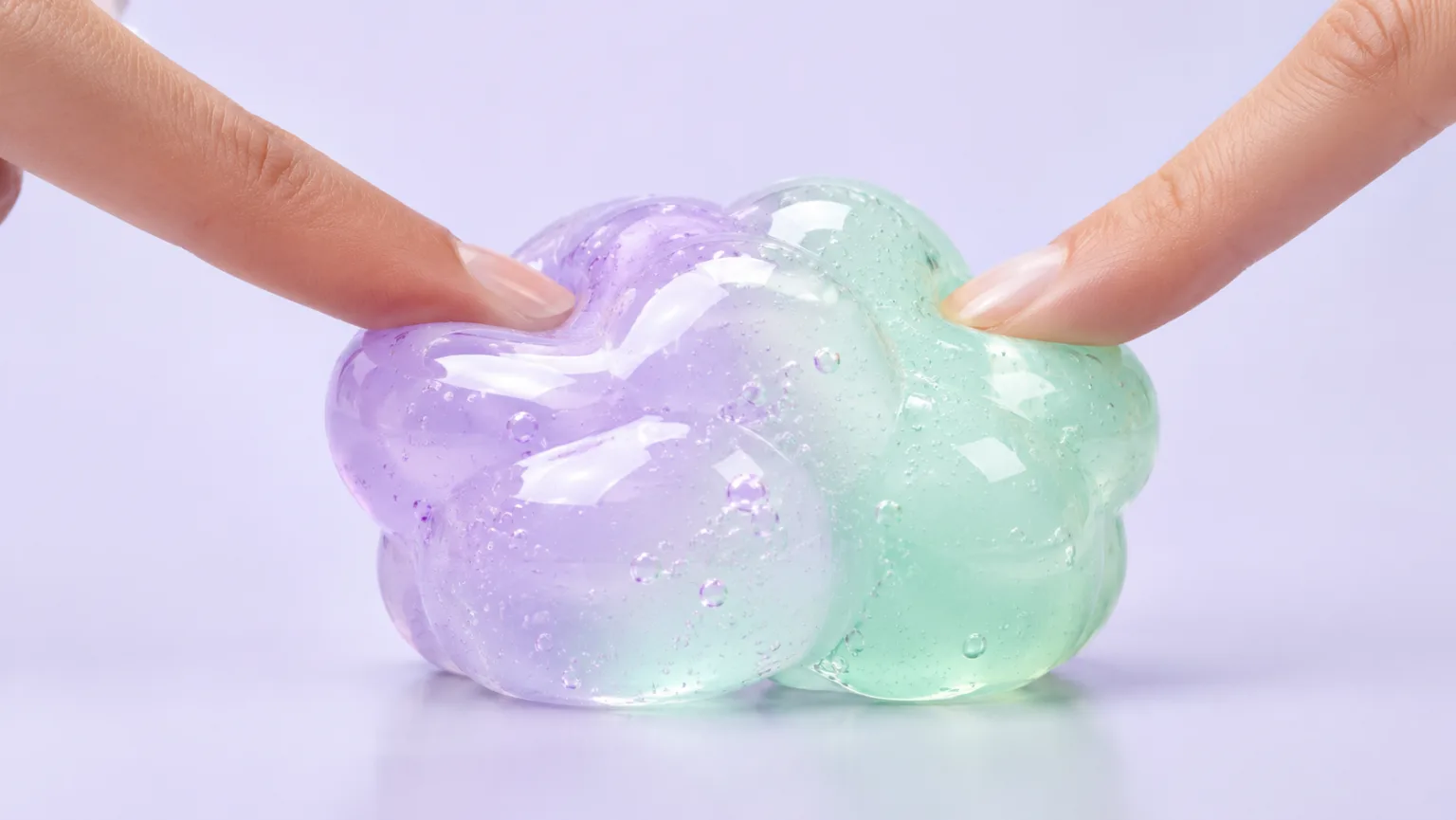
Macro video of a glossy lavender and mint squishy toy being pressed slowly by two fingertips, soft translucent jelly texture with tiny bubbles, clean pastel studio background, softbox lighting, slow push-in, gentle rebound, photorealistic, no text, no logos, no watermark.
What this AI ASMR video generator actually does
The workspace takes a written prompt, a still image or a set of reference images and sends it to a configured video model. You can start from text when you only have an idea, use image-to-video when the first frame already looks right, or use reference-to-video when a mood, character or product needs to stay consistent across a short sequence.
The useful part is not the button labelled generate. It is the control you get before and after it. You choose the aspect ratio, duration, resolution and motion direction, then review the result as a clip instead of a static image. That makes the workflow practical for TikTok, Shorts, Reels, product pages and test cuts that need a texture close-up rather than a full narrative scene.
- Text-to-video for a concept that only exists as a description.
- Image-to-video for a still that already has the right composition.
- Reference-to-video when the same object, surface or character must remain recognisable.
Why ASMR needs a different kind of prompt
A generic prompt such as make a satisfying video leaves too many decisions to the model. ASMR depends on scale, contact, speed and sound. Is the camera a few centimetres from the surface or across the room? Is the object being pressed slowly or torn quickly? Does the frame show fingertips, a tool, or nothing but texture? Those choices decide whether the clip feels calm, tactile and repeatable or merely busy.
The strongest prompts describe one dominant trigger. A single close-up of a squishy toy compressing under two fingers is easier to control than a scene with hands, packaging, a table, a background story and three camera moves. Once the first clip works, you can add a second trigger or a second angle. Building in layers keeps the model from averaging several ideas into a muddy result.
- Name the surface: glossy, matte, powdery, wet, translucent or fibrous.
- Name the contact: fingertip press, slow pull, tap, slice or squeeze.
- Name the camera: macro, top-down, eye-level or slow push-in.
A starter prompt that gives the model something to work with
Start with a subject, a physical action, a camera position and a light source. The prompt below is intentionally specific about the material and the motion because those are the parts a model cannot infer reliably. It also tells the model what not to add, which matters when you need a clean background for a caption or a product overlay.
Keep the prompt in English if the model responds better to English. You can write your own notes in any language, then translate the final prompt before generating. Short sentences are easier to revise than one long paragraph, especially when you are comparing two versions of the same idea.
- Use one texture and one action per generation.
- Describe the first frame before describing the movement.
- Add a negative instruction for text, logos, extra hands and watermarks.
A three-pass workflow for better clips
The first pass is a composition test. Generate a still or a very short clip and ask one question: does the texture read at thumbnail size? If the answer is no, move the camera closer or simplify the background. The second pass is a motion test. Keep the composition and change only the action, such as adding a slow press, a gentle pull or a drift of mist. The third pass is a delivery test. Check the crop for vertical video, the first two seconds, the loop point and any text-safe area.
This sequence is slower than pressing generate ten times with ten unrelated prompts, but it produces a clip you can actually use. It also gives you a record of what changed. When a later model update changes the output, you can return to the winning prompt and compare one variable at a time instead of guessing.
- Pass one: composition and texture readability.
- Pass two: one motion change, with everything else held steady.
- Pass three: crop, loop, audio and platform delivery.
What to check before you publish
Look at the hands first. Fingers are still the most common failure point in generated close-ups, especially when the prompt asks for pressure or pulling. Then check the edges of the object, the reflection on glossy surfaces and the way the background behaves when the camera moves. A clip can look convincing in a still frame and fall apart as soon as the motion starts.
If the clip is going into a product page, compare the generated texture with the real product. Do not imply that a synthetic close-up is documentary footage of the item you sell. If the clip is going into a social post, check the platform's synthetic-media rules and add a clear label when required. The goal is a useful visual, not a misleading one.
- Check hands, object edges and reflections.
- Watch the full clip once at normal speed and once at half speed.
- Keep a note of the prompt, model and settings that produced the approved result.
Model and provider notes
Image workflows use the configured KIE model catalog, including GPT Image 2, Nano Banana 2, Seedream, FLUX and Qwen where available. Video workflows use the configured Seedance provider chain, with fallback routing to KIE, WaveSpeed, SeeAPI, fal or Replicate where enabled. Model availability, resolution, duration and credit cost depend on the workflow you select.
AI output varies between runs. Check hands, reflections, text, anatomy and motion before publishing, and label synthetic media where your platform requires it.
Questions creators ask
Related ASMR workflows
Pick the next workflow that matches the texture, motion or subject you want to create.
ASMR Video Generator
Make calm, tactile ASMR clips without building a studio scene from scratch. Start with a prompt or a still image, choose the motion and generate a short video you can review, refine and publish.
Squishy ASMR Generator
Create squishy ASMR videos built around touch, sound and a slow reveal. Use the workspace to shape a close-up, control the compression and keep the visual rhythm calm enough to loop.
Slime Video Generator
Create glossy slime videos that show the stretch, the fold and the bubble instead of hiding them. Start with a prompt or a still image, then generate a short clip with a clean background and a readable motion path.
Satisfying Video Generator
Generate oddly satisfying videos built around a clean action, a readable texture and a loop that invites another watch. Start with a prompt or a still image and keep the frame focused on the moment that pays off.
Build the clip from a texture, not a trend
Open the workspace with the starter prompt, generate a short test, then refine the one detail that matters most.
Published by Squishy ASMR · Last updated 2026-10-22