
Squishy ASMR
Squishy ASMR Generator
Create squishy ASMR videos built around touch, sound and a slow reveal. Use the workspace to shape a close-up, control the compression and keep the visual rhythm calm enough to loop.
Squishy ASMR
Try this workflow in the workspace
Your starter prompt is already loaded. Change the texture, motion or framing, then generate with the model that fits the result you want.
ai.video.generator.credits_cost
ai.video.generator.form.advanced
ai.video.generator.form.workflow_runtime_hint
ai.video.generator.form.fast_hint
ai.video.generator.form.generate_audio_hint
ai.video.generator.no_results
Squishy ASMR starter prompt
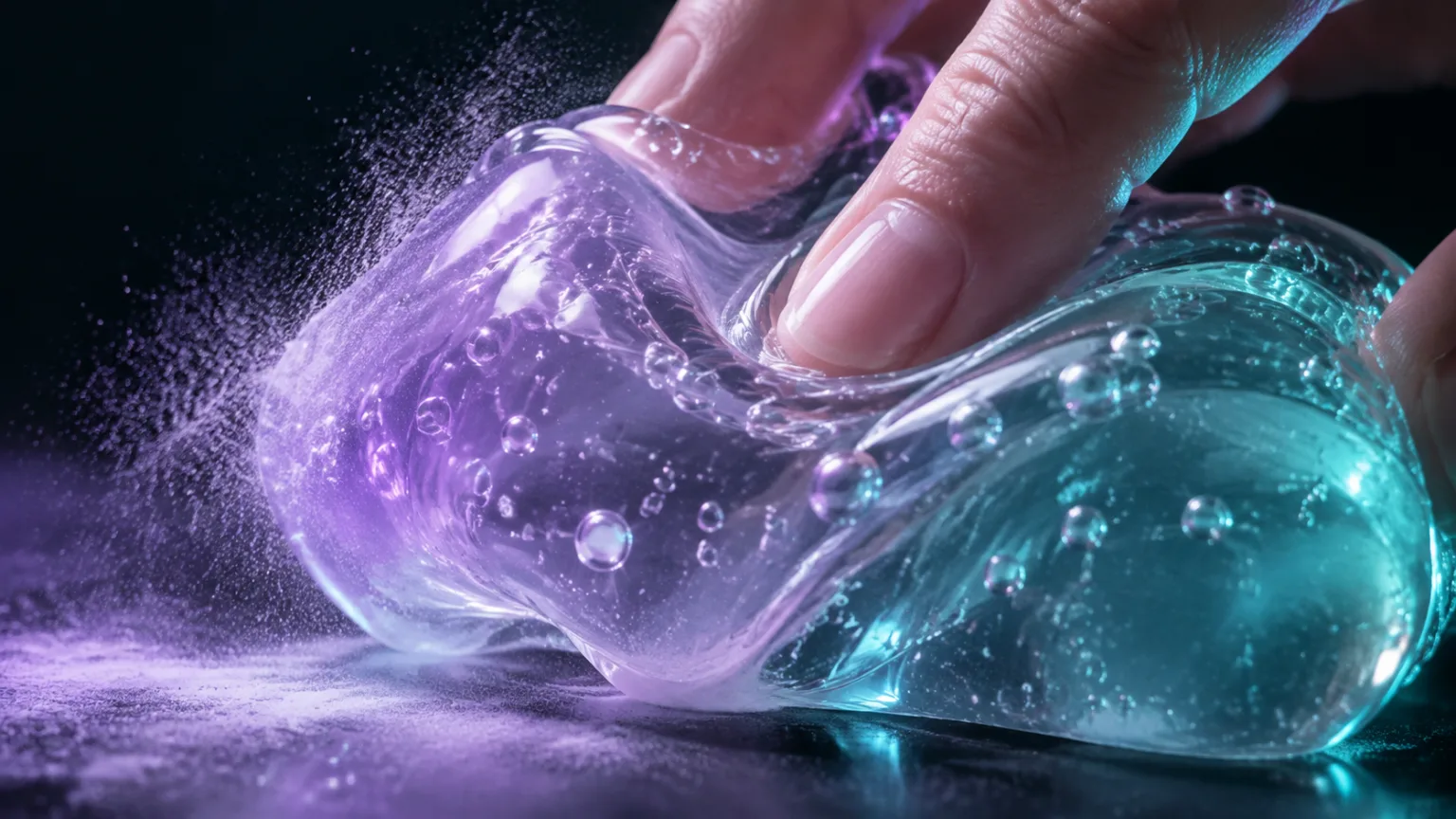
A slow, glossy jelly press with a soft release and a quiet studio background.
Extreme macro ASMR video of a translucent jelly squishy pressed by fingertips, visible bubbles and glossy folds, slow press and release, lavender and teal rim light, dark seamless studio background, cinematic, no text, no logos, no watermark.
Squishy ASMR is a pacing problem
The difference between a squishy product demo and a squishy ASMR clip is usually pacing. A demo shows the object quickly and moves on. An ASMR clip gives the viewer time to notice the surface, the contact point and the small changes in shape. The camera can stay still; the object does the work.
That slower pace changes the prompt. Instead of asking for a dramatic squeeze, ask for a gentle press, a pause and a slow release. Describe the sound-relevant details even when the first output is silent, because those details guide the visual texture. A soft, glossy surface calls for a different light than a powdery foam surface.
- Favor a slow action over a dramatic one.
- Let the object settle before the clip ends.
- Describe the surface texture that the sound will imply.
Build the close-up around one sensory detail
Pick one detail and make it the subject: the way a fingertip sinks into a jelly surface, the tiny bubbles trapped under a translucent skin, the powder that puffs when a foam toy is pressed, or the slow return of a shape after release. A single detail gives the viewer something to look at and gives the model a clear target.
If you try to show the whole object, the hand, the packaging, the table and the background all at once, the sensory detail gets lost. Crop tighter than you would for a product photo. The object can leave the frame as long as the contact point and the deformation are visible.
- Choose bubbles, powder, gloss, folds or rebound - not all five.
- Crop tighter than a catalogue shot.
- Keep the contact point and the changed shape in frame.
Write for the ear and the eye
Even if the video model does not generate audio, write the prompt as if it does. Words such as soft, sticky, powdery, wet, hollow and dense steer the visual material. A hollow object should not look like a solid block; a sticky surface should show a small amount of resistance when the finger lifts.
When you add sound in the editor, match the timing of the action. A press that takes two seconds should not be paired with a one-second squish. If the clip loops, place the audio loop at the same point as the visual loop. The goal is a single event that feels coherent rather than a montage of unrelated triggers.
- Use material words that imply a sound.
- Match audio timing to the visible action.
- Loop the sound and the image at the same point.
Use repetition without making it boring
ASMR often relies on repetition, but repetition works best when there is a small variation. The first press can be light, the second slightly deeper, and the third can end with a slow release. That gives the viewer a sense of progression without adding a new scene or a new object.
For a longer video, alternate two angles of the same action rather than introducing a second unrelated trigger. A close-up and a slightly wider shot can be enough. Keep the light and the surface consistent so the viewer does not have to reorient themselves after every cut.
- Vary pressure before you vary the subject.
- Alternate two angles of the same trigger.
- Keep light and surface consistent across cuts.
A quality check for sensory clips
Watch the clip once on a phone with the sound off. If the press does not read at that size, the clip is too wide or too busy. Then watch it with the sound on and check whether the visual and audio suggest the same material. Finally, check the loop point: does the object return to a shape that can start again, or does the cut jump?
The most common failure is a hand that changes shape or a surface that loses its gloss between frames. Slow the motion down, simplify the hand pose and reduce the number of objects. A clean, quiet clip with one believable press is more useful than a complex scene with several questionable details.
- Test readability on a phone at thumbnail size.
- Check visual and audio material agreement.
- Inspect the loop point and the hand shape.
Model and provider notes
Image workflows use the configured KIE model catalog, including GPT Image 2, Nano Banana 2, Seedream, FLUX and Qwen where available. Video workflows use the configured Seedance provider chain, with fallback routing to KIE, WaveSpeed, SeeAPI, fal or Replicate where enabled. Model availability, resolution, duration and credit cost depend on the workflow you select.
AI output varies between runs. Check hands, reflections, text, anatomy and motion before publishing, and label synthetic media where your platform requires it.
Questions creators ask
Related ASMR workflows
Pick the next workflow that matches the texture, motion or subject you want to create.
Squishy Video Generator
Create soft, satisfying squishy videos from a prompt or a still image. Focus on the press, the rebound and the surface texture, then generate a short clip that feels tactile at thumbnail size.
Slime Video Generator
Create glossy slime videos that show the stretch, the fold and the bubble instead of hiding them. Start with a prompt or a still image, then generate a short clip with a clean background and a readable motion path.
AI ASMR Video Generator
Turn a text prompt or a still image into a short, satisfying ASMR clip. Squishy ASMR gives you a working video workspace, starter prompts and separate workflows for squishy, slime, sand, soap and food textures.
ASMR Image Generator
Generate calm, tactile ASMR images for covers, thumbnails, channel art and product previews. Start from text or edit an existing still, then keep the palette and texture consistent with your video workflow.
Make a calm, tactile loop
Start with the jelly press recipe, then slow the release and simplify the frame until the texture reads on a phone.
Published by Squishy ASMR · Last updated 2026-10-22