
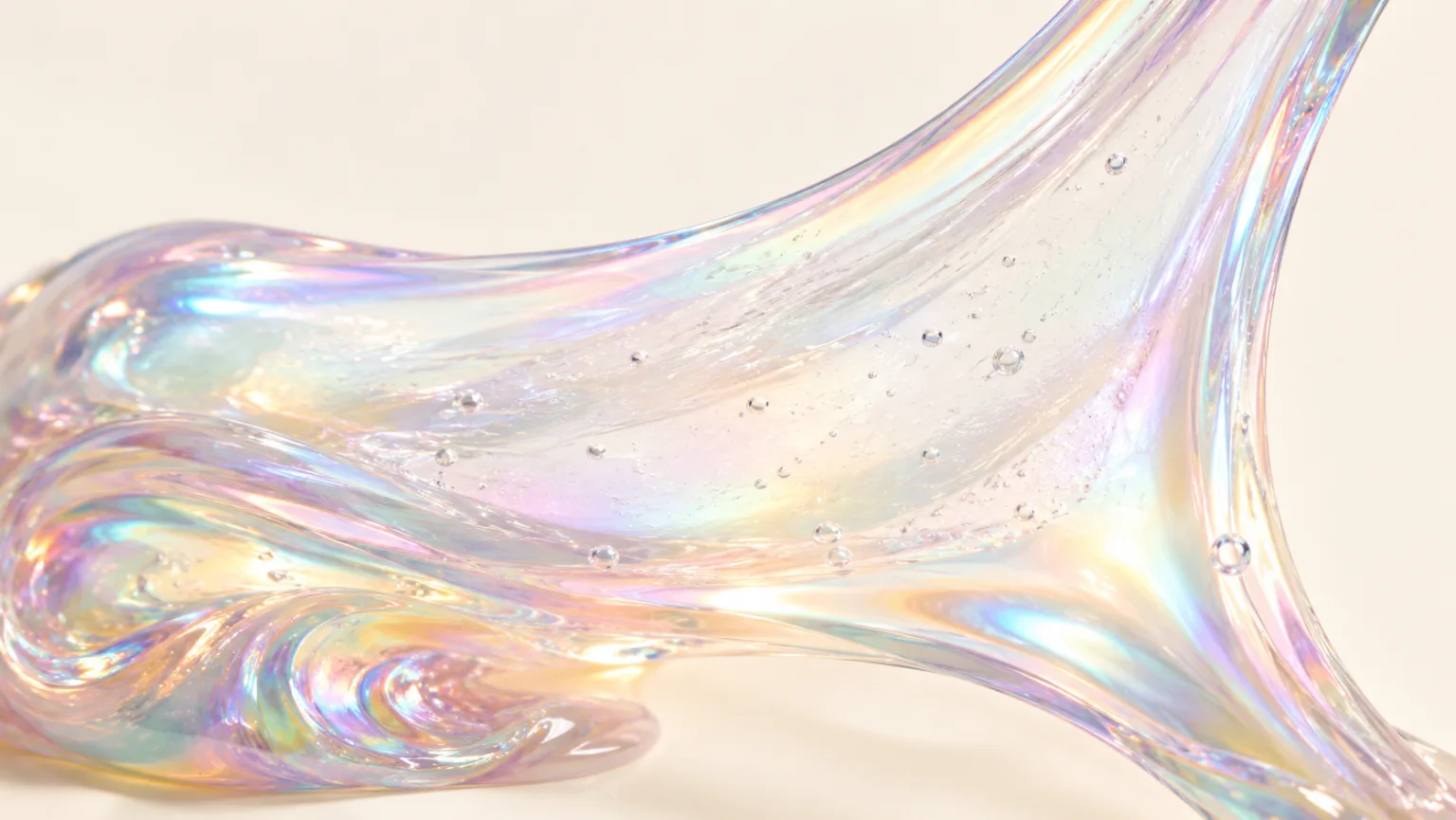
Satisfying video
Satisfying Video Generator
Generate oddly satisfying videos built around a clean action, a readable texture and a loop that invites another watch. Start with a prompt or a still image and keep the frame focused on the moment that pays off.
Satisfying video
Try this workflow in the workspace
Your starter prompt is already loaded. Change the texture, motion or framing, then generate with the model that fits the result you want.
ai.video.generator.credits_cost
ai.video.generator.form.advanced
ai.video.generator.form.workflow_runtime_hint
ai.video.generator.form.fast_hint
ai.video.generator.form.generate_audio_hint
ai.video.generator.no_results
Satisfying stretch starter prompt
A glossy slime stretch with a clean background, a slow pull and a loop-friendly release.
High-speed macro video of iridescent slime stretched into a thin translucent sheet, smooth swirls and tiny bubbles, cream studio background, crisp soft light, slow pull, loop-friendly ending, photorealistic, no text, no logos, no watermark.
What makes a video satisfying
Satisfying video is not one genre. It can be a perfect cut, a smooth pour, a color mixing transition, a soft object returning to shape or a surface being cleaned in one pass. The common thread is a clear cause and a clean result. The viewer should understand what is happening and feel that the action resolved properly.
That is why a satisfying clip usually needs a tighter edit than a story clip. The setup should be short, the action should be legible and the ending should either complete the motion or return to a loopable state. If the viewer has to work out what changed, the satisfaction is lost.
- Show the cause, the action and the result.
- Keep the frame clean enough to read the change.
- End on a resolved shape or a clean loop.
Pick a payoff the model can actually render
Some satisfying actions are easier to generate than others. A slow press, a smooth stretch, a top-down pour and a simple cut are predictable because the change happens in one direction. A complex mechanical action with several moving parts is much harder. Choose a payoff that can be described as one visible change.
If the idea needs several steps, split it into separate clips. Generate the setup, the action and the result as individual shots, then edit them together. That gives you more control than asking one model call to perform a whole sequence.
- Prefer one-direction changes: press, pull, cut, pour or mix.
- Split complex sequences into separate generations.
- Keep the tool or hand that causes the change visible.
Use color and light as part of the action
Color can make a simple action feel more satisfying. A pastel slime stretching against a darker background, a white powder cut on a matte surface or a translucent object glowing from behind all create a stronger visual payoff. Describe the palette and the light direction in the prompt rather than relying on the model to choose.
Avoid putting too many colors in one frame. Two or three related tones are easier to control and look more intentional. If the clip is for a brand, use the brand palette as a constraint and test one accent color at a time.
- Choose two or three related colors.
- Use backlight for translucency and side light for texture.
- Keep the background quieter than the action.
Edit for the second watch
A satisfying video often gets replayed, so the loop matters. Trim the beginning so the action starts almost immediately. Trim the end so the last frame can connect to the first. If the clip has a natural pause, keep it short; a long hold after the payoff can make the loop feel dead.
For social platforms, test the clip without captions first. If the action is clear, the caption can add context rather than explain the visual. If the action is not clear without a caption, simplify the frame or choose a more legible payoff.
- Start close to the action.
- Trim the post-payoff hold.
- Test the loop before adding captions.
Avoid the common satisfying-video traps
The biggest trap is mistaking motion for satisfaction. Constant camera movement, multiple objects and rapid cuts can make a clip busy without giving the viewer a clear payoff. Another trap is an action that resolves too early, leaving several seconds of nothing. Cut the clip to the moment that matters.
Also check for physical inconsistencies: a cut that does not separate, a pour that changes direction, a reflection that does not match the object. These details are easy to miss at small size but obvious on a second watch. Review the clip at full size before publishing.
- Do not confuse motion with a payoff.
- Cut the clip to the action and the result.
- Check physical continuity at full size.
Model and provider notes
Image workflows use the configured KIE model catalog, including GPT Image 2, Nano Banana 2, Seedream, FLUX and Qwen where available. Video workflows use the configured Seedance provider chain, with fallback routing to KIE, WaveSpeed, SeeAPI, fal or Replicate where enabled. Model availability, resolution, duration and credit cost depend on the workflow you select.
AI output varies between runs. Check hands, reflections, text, anatomy and motion before publishing, and label synthetic media where your platform requires it.
Questions creators ask
Related ASMR workflows
Pick the next workflow that matches the texture, motion or subject you want to create.
Slime Video Generator
Create glossy slime videos that show the stretch, the fold and the bubble instead of hiding them. Start with a prompt or a still image, then generate a short clip with a clean background and a readable motion path.
Kinetic Sand Video Generator
Create kinetic sand videos built around crisp cuts, clean edges and the soft collapse of textured blocks. Start with a prompt or a still image, then generate a short clip that keeps the geometry readable.
Soap Cutting Video Generator
Create soap cutting videos with a clean slice, a visible shaving and a calm close-up rhythm. Generate a short clip from a prompt or still image, then refine the edge and the lighting.
ASMR Video Generator
Make calm, tactile ASMR clips without building a studio scene from scratch. Start with a prompt or a still image, choose the motion and generate a short video you can review, refine and publish.
Find the one action worth looping
Open the workspace, generate a short stretch or press, then cut everything that is not the payoff.
Published by Squishy ASMR · Last updated 2026-10-22