
Soap cutting video
Soap Cutting Video Generator
Create soap cutting videos with a clean slice, a visible shaving and a calm close-up rhythm. Generate a short clip from a prompt or still image, then refine the edge and the lighting.
Soap cutting video
Try this workflow in the workspace
Your starter prompt is already loaded. Change the texture, motion or framing, then generate with the model that fits the result you want.
ai.video.generator.credits_cost
ai.video.generator.form.advanced
ai.video.generator.form.workflow_runtime_hint
ai.video.generator.form.fast_hint
ai.video.generator.form.generate_audio_hint
ai.video.generator.no_results
Soap slice starter prompt
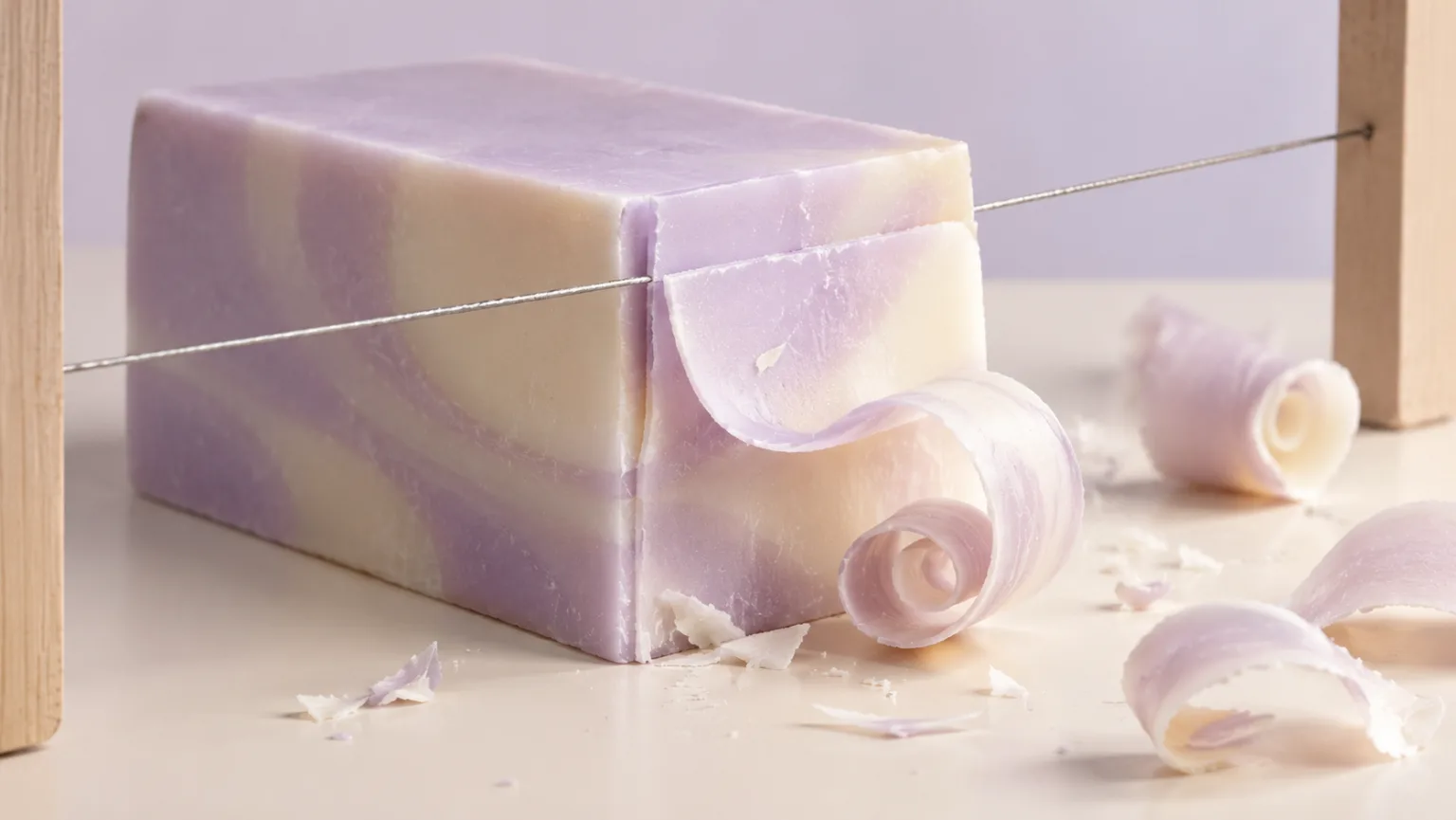
A pastel soap block cut with a thin wire, one clean shaving curling away and a matte studio background.
Macro video of a pastel soap block being cut with a thin wire, one clean curled shaving falling away, matte lilac studio background, crisp side light, slow deliberate motion, no text, no logos, no watermark.
Why soap cutting is a strong ASMR subject
Soap cutting combines three satisfying elements: a clean edge, a soft curl and a visible change in the block. The material is firm enough to hold a shape and soft enough to shave. That makes the action easy to read in a short clip, even without a hand or a face in the frame.
The visual payoff is the slice itself, not the finished sculpture. A single cut that produces a clean shaving is usually stronger than a complicated carving sequence. If you want a longer video, repeat the cut with small variations in depth or angle.
- Show the blade entering the block.
- Show the shaving curling away.
- Keep the cut line and the block edge in frame.
Light the edge, not the whole block
A clean cut needs a highlight along the edge. Side light or a narrow softbox can reveal the edge without flattening the surface. If the light is too even, the cut can disappear into the block. If the light is too hard, the shaving may cast a distracting shadow.
Use a background that contrasts with the soap but does not compete with it. A matte surface is better than a reflective one because it keeps attention on the shaving. If the soap is translucent, a backlight can make the edge glow.
- Use side light to reveal the cut edge.
- Keep the background matte and simple.
- Use backlight only when translucency is the point.
Describe the blade and the shaving
A wire, a knife and a vegetable peeler produce different shavings. A wire makes a narrow, clean slice. A knife can create a wider curl. A peeler produces a thin, ribbon-like shaving. Choose the tool based on the visual texture you want.
Describe the shaving's shape and how it falls. A tight curl reads differently from a long ribbon. If the shaving is the hero, keep the tool simple and the background quiet. If the block is the hero, show more of its surface and let the shaving be a secondary detail.
- Wire for a narrow, clean slice.
- Knife for a wider cut and a thicker curl.
- Peeler for a thin ribbon shaving.
Keep the cut physically believable
Soap is brittle enough to chip and soft enough to shave. The model should show a continuous cut, not a blade that passes through without changing the material. Ask for a visible groove, a separated shaving and a small amount of debris at the cut line.
If the clip is a loop, end with the blade clear of the block and the shaving settled. If the clip is a one-shot, let the shaving fall or rest on the surface. Do not let the blade jump back to the start in the same frame.
- Show a groove or a separated shaving.
- Keep the blade path continuous.
- Choose a settled ending or a clean loop.
Check the small details
Look for a blade that changes width, a shaving that passes through the block or a cut that closes itself. These errors are common because the model is interpolating a thin object and a soft material. A shorter clip with one cut is easier to keep consistent.
If the clip is for a product, compare the soap color and texture with the real item. A generated close-up can be a mood asset, but it should not imply a specific scent, ingredient or carving result that the product does not deliver.
- Check blade width and continuity.
- Watch for self-closing cuts.
- Keep synthetic visuals separate from product claims.
Model and provider notes
Image workflows use the configured KIE model catalog, including GPT Image 2, Nano Banana 2, Seedream, FLUX and Qwen where available. Video workflows use the configured Seedance provider chain, with fallback routing to KIE, WaveSpeed, SeeAPI, fal or Replicate where enabled. Model availability, resolution, duration and credit cost depend on the workflow you select.
AI output varies between runs. Check hands, reflections, text, anatomy and motion before publishing, and label synthetic media where your platform requires it.
Questions creators ask
Related ASMR workflows
Pick the next workflow that matches the texture, motion or subject you want to create.
Kinetic Sand Video Generator
Create kinetic sand videos built around crisp cuts, clean edges and the soft collapse of textured blocks. Start with a prompt or a still image, then generate a short clip that keeps the geometry readable.
Satisfying Video Generator
Generate oddly satisfying videos built around a clean action, a readable texture and a loop that invites another watch. Start with a prompt or a still image and keep the frame focused on the moment that pays off.
ASMR Video Generator
Make calm, tactile ASMR clips without building a studio scene from scratch. Start with a prompt or a still image, choose the motion and generate a short video you can review, refine and publish.
ASMR Image Generator
Generate calm, tactile ASMR images for covers, thumbnails, channel art and product previews. Start from text or edit an existing still, then keep the palette and texture consistent with your video workflow.
Make one cut worth watching
Load the soap recipe, generate a single slice and check the shaving before you add a second cut.
Published by Squishy ASMR · Last updated 2026-10-22