
Mukbang video
Mukbang Video Generator
Create mukbang-style food close-ups without a full production set. Focus on steam, gloss, crunch and the moment a texture changes, then generate a short clip for social video or a menu preview.
Mukbang video
Try this workflow in the workspace
Your starter prompt is already loaded. Change the texture, motion or framing, then generate with the model that fits the result you want.
ai.video.generator.credits_cost
ai.video.generator.form.advanced
ai.video.generator.form.workflow_runtime_hint
ai.video.generator.form.fast_hint
ai.video.generator.form.generate_audio_hint
ai.video.generator.no_results
Mukbang table starter prompt
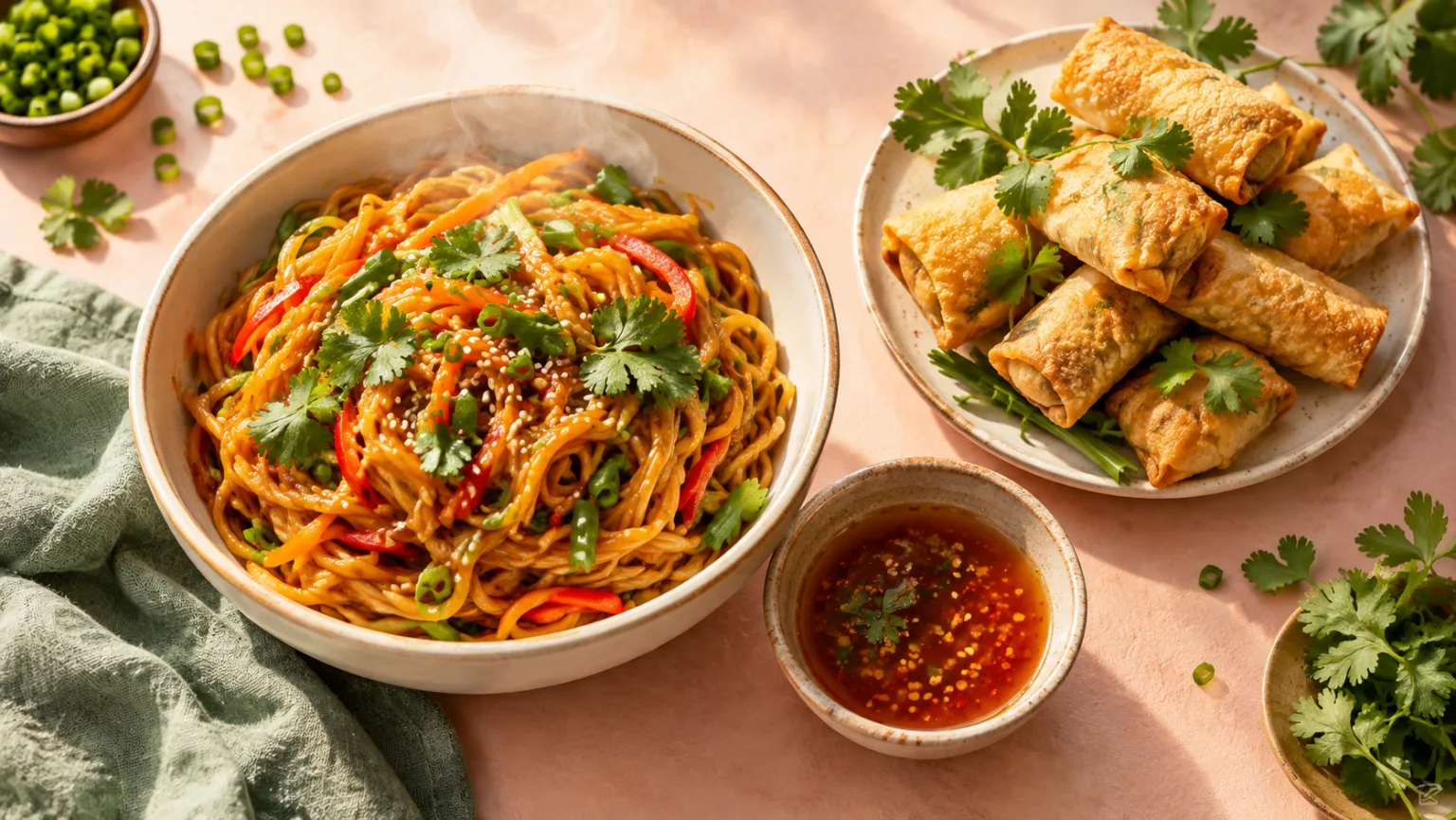
An overhead food table with glossy noodles, a crisp side and visible steam, shot as a warm editorial still life.
Overhead food video of glossy noodles, crispy golden snacks and dipping sauce on a pastel table, visible steam, warm cinematic light, slow noodle pull, appetizing editorial food photography, no people, no text, no logos, no watermark.
Mukbang is a texture-first format
Mukbang videos are often associated with eating, but the visual appeal comes from texture and abundance. Glossy noodles, crisp edges, steam, sauce and a full table create a strong first impression. The clip does not need a person in frame to communicate the format; it needs food that looks freshly prepared and a composition that feels generous.
For an AI-generated clip, a food-only close-up is easier to control than a person eating. You can focus on the steam, the pull of a noodle, the crunch of a fried edge or the way sauce coats a surface. If you want a human element, add it in a separate shot or keep the person partially cropped.
- Lead with texture: gloss, crispness, steam or sauce.
- Use a food-only frame when you need control.
- Add a person only if the format requires it.
Build a table that reads at a glance
A mukbang table can be busy, but the main dish still needs to be obvious. Put the hero food in the center or on a strong diagonal, then add two or three supporting dishes. Keep the color palette warm and the background simple. Too many small props make the frame feel cluttered at thumbnail size.
Overhead shots are the safest starting point because they show abundance and arrangement. A 45-degree angle is better for height and steam. A macro close-up is best for a single texture. Choose one angle and let the other details support it.
- One hero dish, two or three supporting items.
- Overhead for abundance, 45-degree for height.
- Keep the background quieter than the food.
Describe freshness, not just flavor
Words such as spicy, cheesy or sweet are useful, but they do not tell the model what to render. Describe the visual cues of freshness: steam rising from a hot bowl, a glossy sauce, a crisp fried edge, a sprinkle of herbs, a cold drink with condensation. Those details make the food look ready to eat.
If the clip is for a restaurant or a product, keep the generated food consistent with the real menu. Do not add ingredients or portion sizes that the customer will not receive. A generated mood clip can support a listing, but the actual product photo should remain the reference.
- Show steam, gloss, crunch or condensation.
- Use garnish as a small accent, not a pile.
- Keep the generated dish consistent with the real menu.
Use motion to suggest a bite
A food clip feels alive when something changes: steam drifts, sauce drips, a noodle lifts, a crisp edge breaks. Pick one change and make it the action. A slow pull of a noodle or a spoon lifting sauce can be enough. If you want a crunch, show the food being pressed or broken rather than simply sitting on the plate.
Keep the motion slow. Fast food motion can look like a commercial montage rather than a mukbang close-up. A single, deliberate action gives the viewer time to imagine the sound and the texture.
- Choose one change: steam, drip, pull or crunch.
- Keep the motion slow and deliberate.
- Let the viewer imagine the sound.
Check the food logic before publishing
Look for noodles that merge into each other, sauce that floats above the food or steam that comes from the wrong place. Food generation can produce beautiful surfaces with impossible physics. Check the contact points, the reflections and the way the garnish sits on the dish.
If the clip is going into a menu or a delivery listing, keep a real photo of the dish nearby and label the generated clip as a creative preview where required. The goal is appetite appeal, not a misleading representation of the portion.
- Check contact points and reflections.
- Watch for impossible steam or floating sauce.
- Keep a real product photo for menu claims.
Model and provider notes
Image workflows use the configured KIE model catalog, including GPT Image 2, Nano Banana 2, Seedream, FLUX and Qwen where available. Video workflows use the configured Seedance provider chain, with fallback routing to KIE, WaveSpeed, SeeAPI, fal or Replicate where enabled. Model availability, resolution, duration and credit cost depend on the workflow you select.
AI output varies between runs. Check hands, reflections, text, anatomy and motion before publishing, and label synthetic media where your platform requires it.
Questions creators ask
Related ASMR workflows
Pick the next workflow that matches the texture, motion or subject you want to create.
ASMR Video Generator
Make calm, tactile ASMR clips without building a studio scene from scratch. Start with a prompt or a still image, choose the motion and generate a short video you can review, refine and publish.
Satisfying Video Generator
Generate oddly satisfying videos built around a clean action, a readable texture and a loop that invites another watch. Start with a prompt or a still image and keep the frame focused on the moment that pays off.
ASMR Image Generator
Generate calm, tactile ASMR images for covers, thumbnails, channel art and product previews. Start from text or edit an existing still, then keep the palette and texture consistent with your video workflow.
AI ASMR Video Generator
Turn a text prompt or a still image into a short, satisfying ASMR clip. Squishy ASMR gives you a working video workspace, starter prompts and separate workflows for squishy, slime, sand, soap and food textures.
Make the first bite visible
Load the food table recipe, generate one close-up and check the steam, gloss and contact points.
Published by Squishy ASMR · Last updated 2026-10-22